 Zastre, Kent & Wilson
Settings
Owners onlyYour business details, your domain, and text message approval.
What is this page?
It holds the details your texts and emails use, and the setup that lets them send.
The overview
Each card shows if it is done (green) or needs something (orange or red). Click a card to open it.
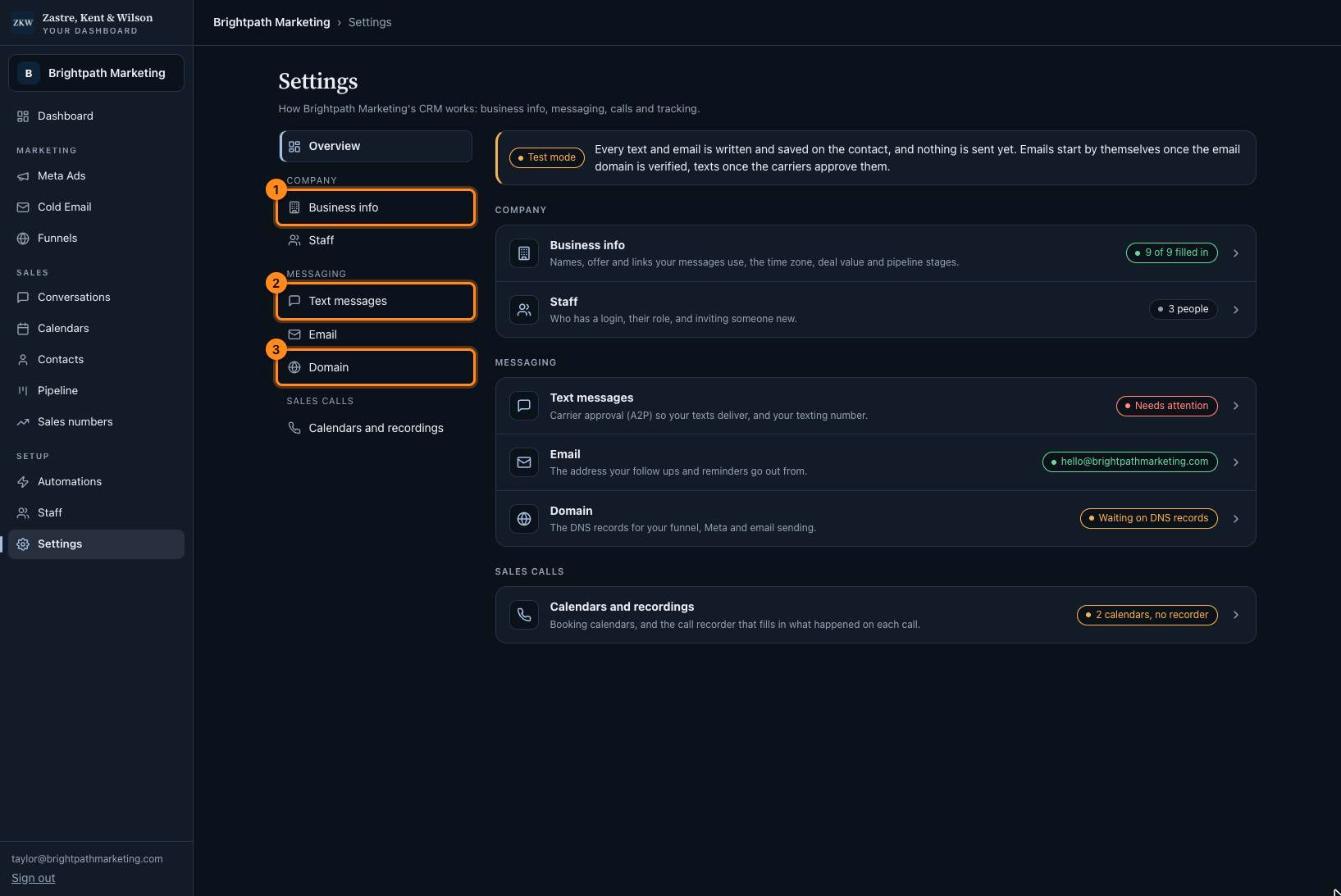
- Business info. Your company name, what you sell, and your links.
- Text messages. Approval from the phone companies so your texts arrive.
- Domain. Puts your funnel on your own website address.
Business info
Your messages use these words. For example, {{company_name}} turns into your company name in every text.
Keep them short and true. Then every automation sounds like you.
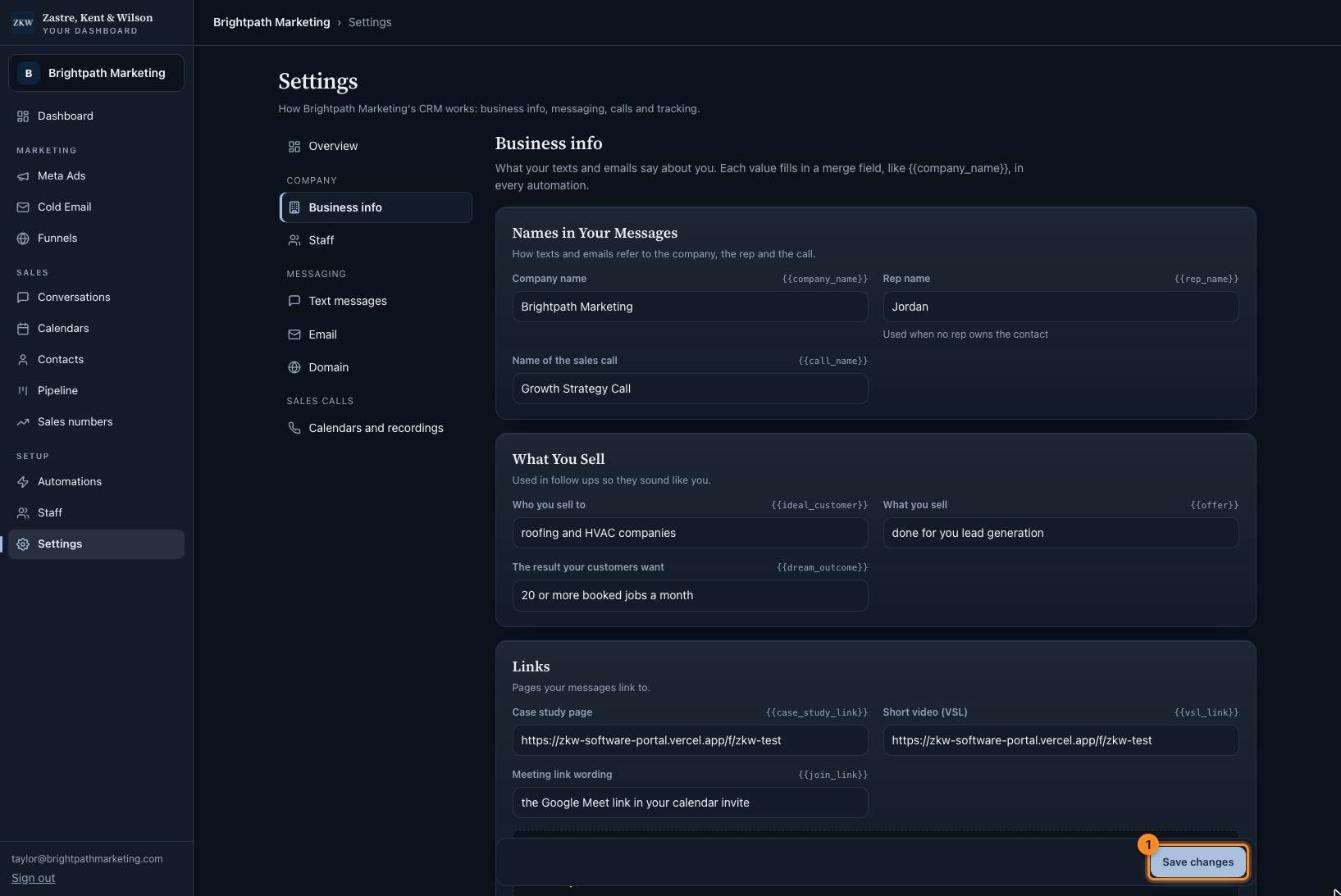
- Press Save changes when you are done.
Connect your domain
Your domain is your website address, like yourcompany.com. Connecting it puts your funnel on your own address and lets emails come from you.
You get your own link for this. It takes about 5 minutes.
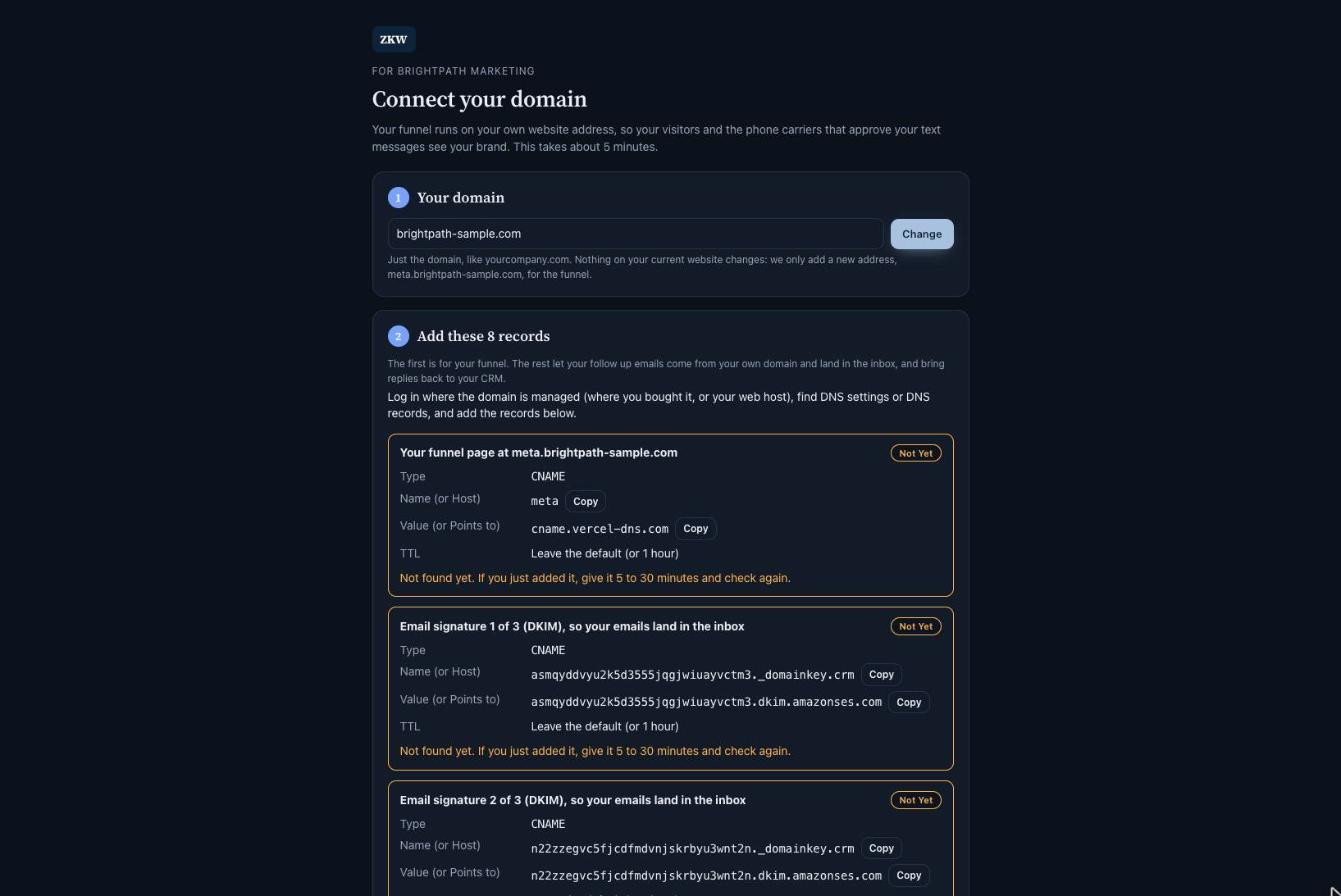
- Open your domain link (it is in Settings, under Domain).
- Step 1: check your domain is right.
- Step 2: sign in where you bought your domain (like GoDaddy or Namecheap) and find "DNS settings".
- Add each record from the list. Use the Copy buttons so nothing is typed wrong.
- Come back and press "Check my records". Green "Right" means it worked.
Tip: Just added them and it still says "Not yet"? Wait 5 to 30 minutes and check again. Stuck? Send ZKW a picture of your DNS page.
Text messages (A2P)
Phone companies must approve every business before its texts can arrive. This is called A2P.
The bar shows how far along it is. ZKW sends it in and fixes anything they ask for.
If we need you to check something, like your legal business name, it shows here in an orange box.
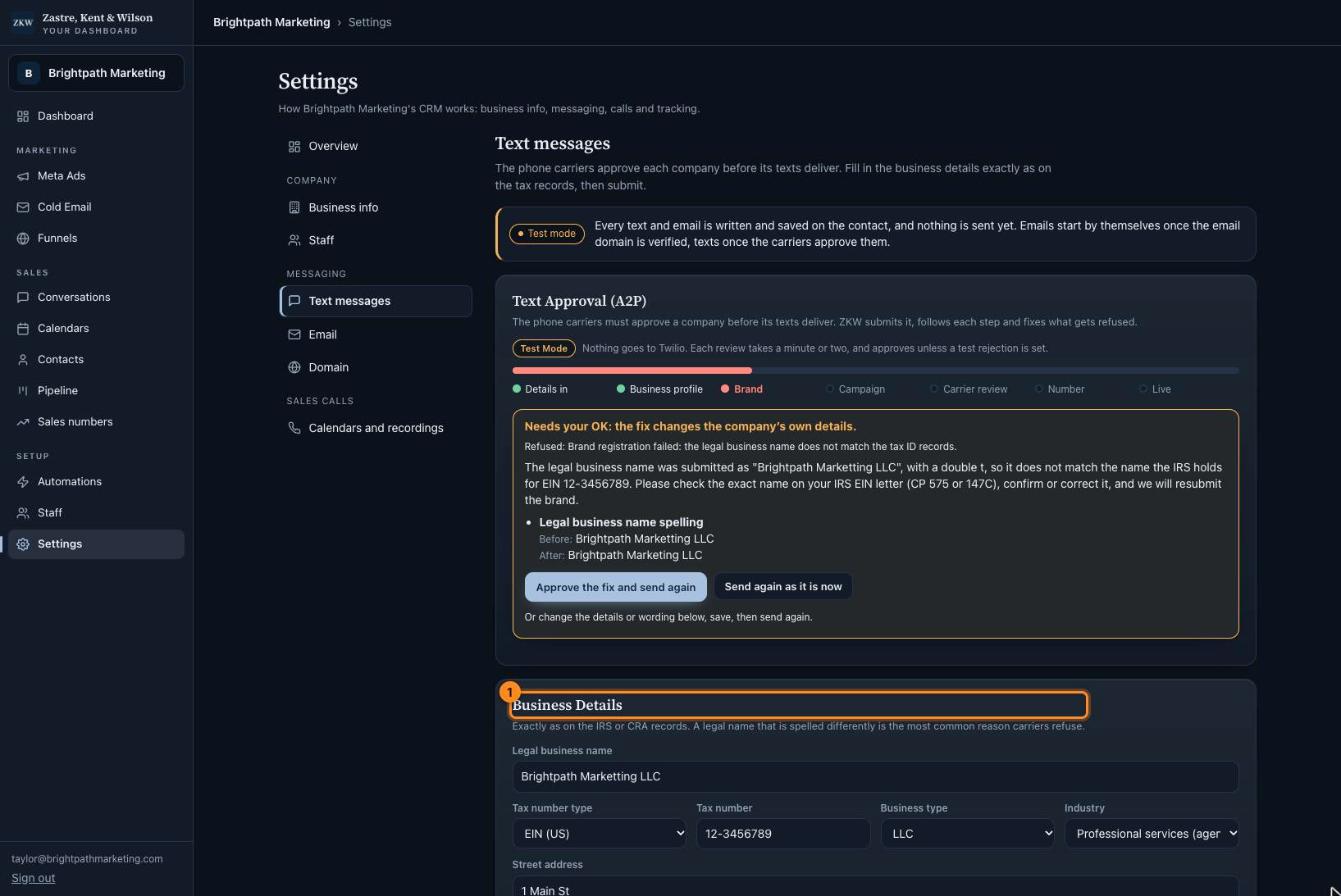
- Business details. Type them exactly like your tax papers.
Tip: The most common reason for a "no" is a legal name spelled a bit differently from your tax papers. Copy it exactly.