 Zastre, Kent & Wilson
← All help pages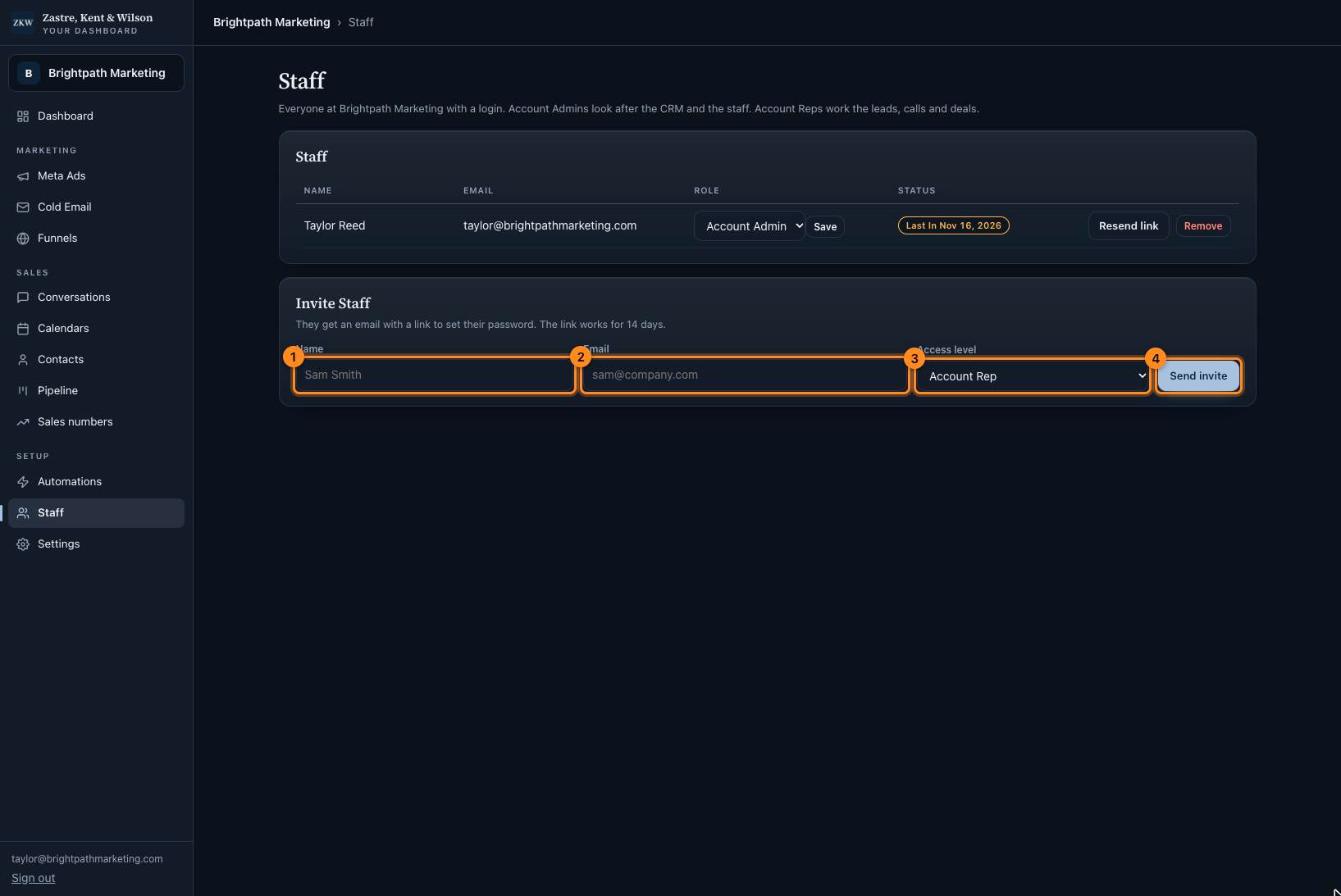
Click the picture to see it bigger. The names and numbers in it are made up.
Staff
Owners onlyGive your team their own login.
What is this page?
It lists everyone at your company who can sign in. You can add people and remove them.
Invite someone
They get an email with a link to set their password. The link works for 14 days.
Link ran out? Press "Resend link" next to their name.
Someone left? Press "Remove". They can not see your company any more.
- Type their name.
- Type their email.
- Pick Account Rep for a sales person, or Account Admin for another owner.
- Press Send invite.
Tip: Inviting someone does not put them on the sales calendar. If they take calls, add them in Calendars, then Settings, under "Who takes the calls".