Texts and emails that send by themselves, like call reminders.
What is this page?
An automation is a list of steps the computer does for you. For example: when someone books a call, send them a reminder the day before and an hour before.
We set these up for you when you start. Most people never need to change them.
The list
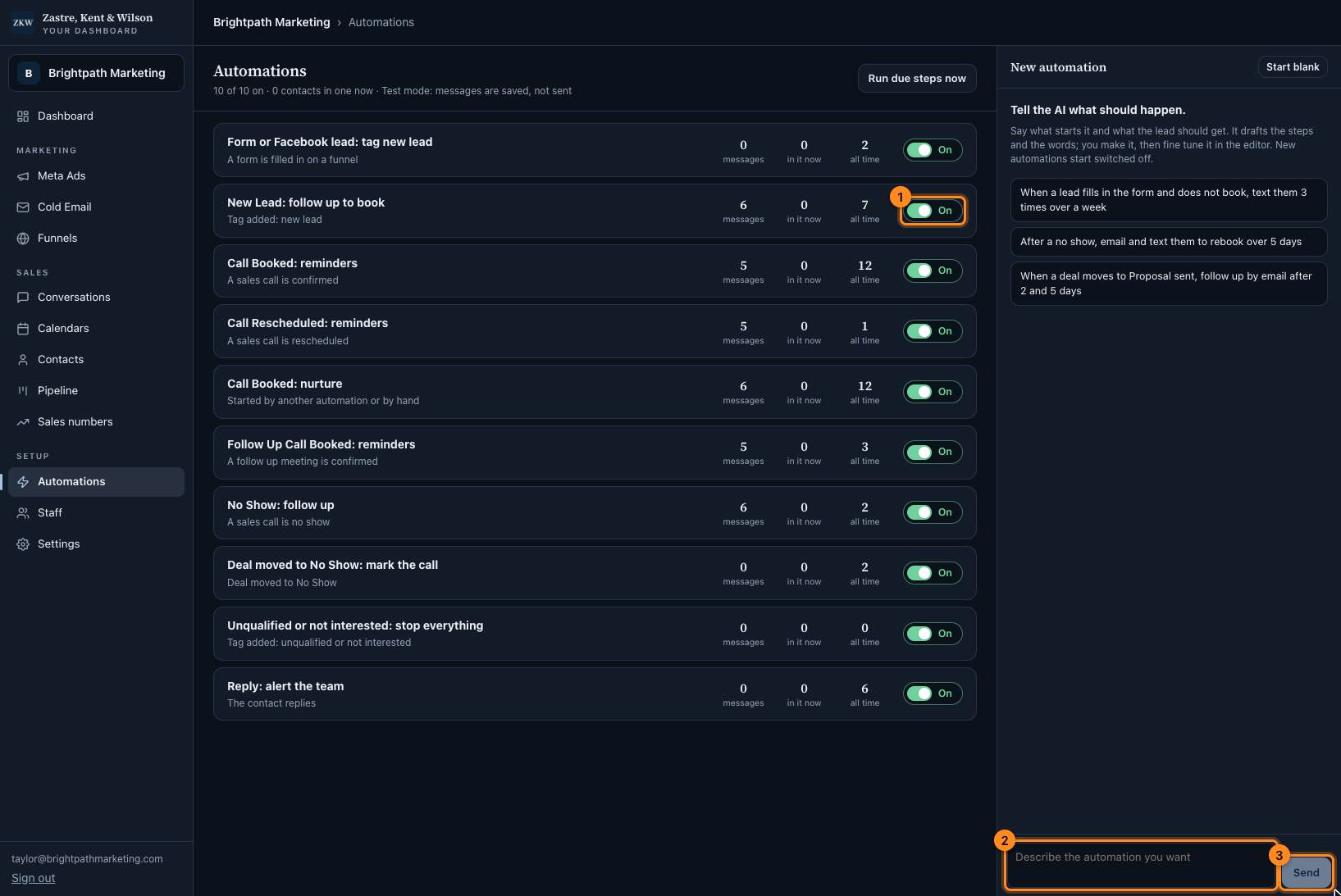
Each row shows what starts it, how many messages it has, and how many people are in it now.
1On or Off. Owners can click it to turn an automation on or off.
2Owners can describe a new automation here in plain words.
3Press Send and the AI drafts it. New ones start switched off.
Click the picture to see it bigger. The names and numbers in it are made up.
Inside one automation
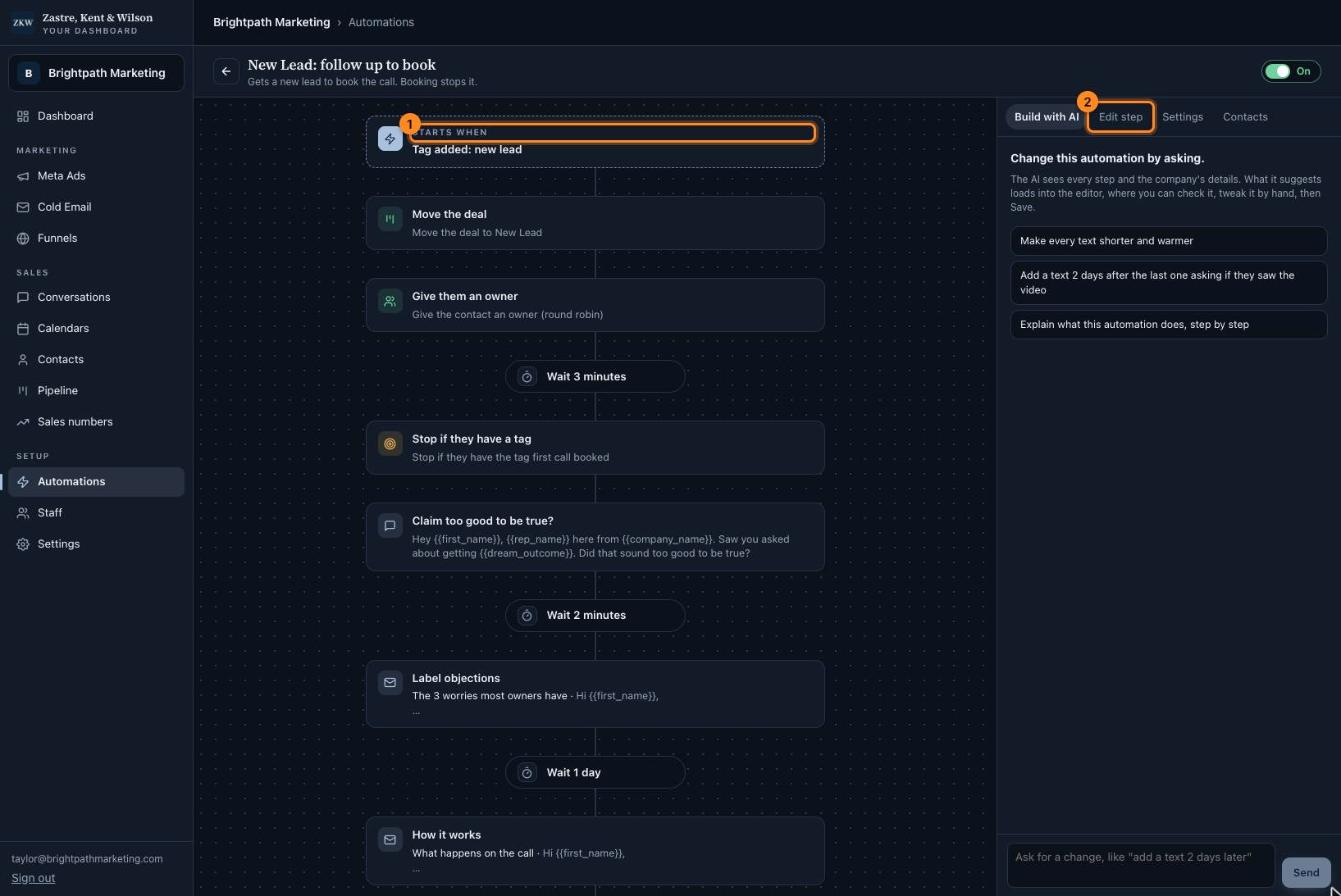
Read it from top to bottom. Each box is one step: send a text, wait, send an email, and so on.
Owners can change a step, or ask the AI for a change on the "Build with AI" tab. Nothing changes until you press Save.
The "Contacts" tab shows who is in it. You can add a person or stop it for one person there.
1Starts when. What kicks it off, like a new lead.
2Edit step. Click a step on the left, then change its words here (owners).
Click the picture to see it bigger. The names and numbers in it are made up.
 Zastre, Kent & Wilson