 Zastre, Kent & Wilson
← All help pages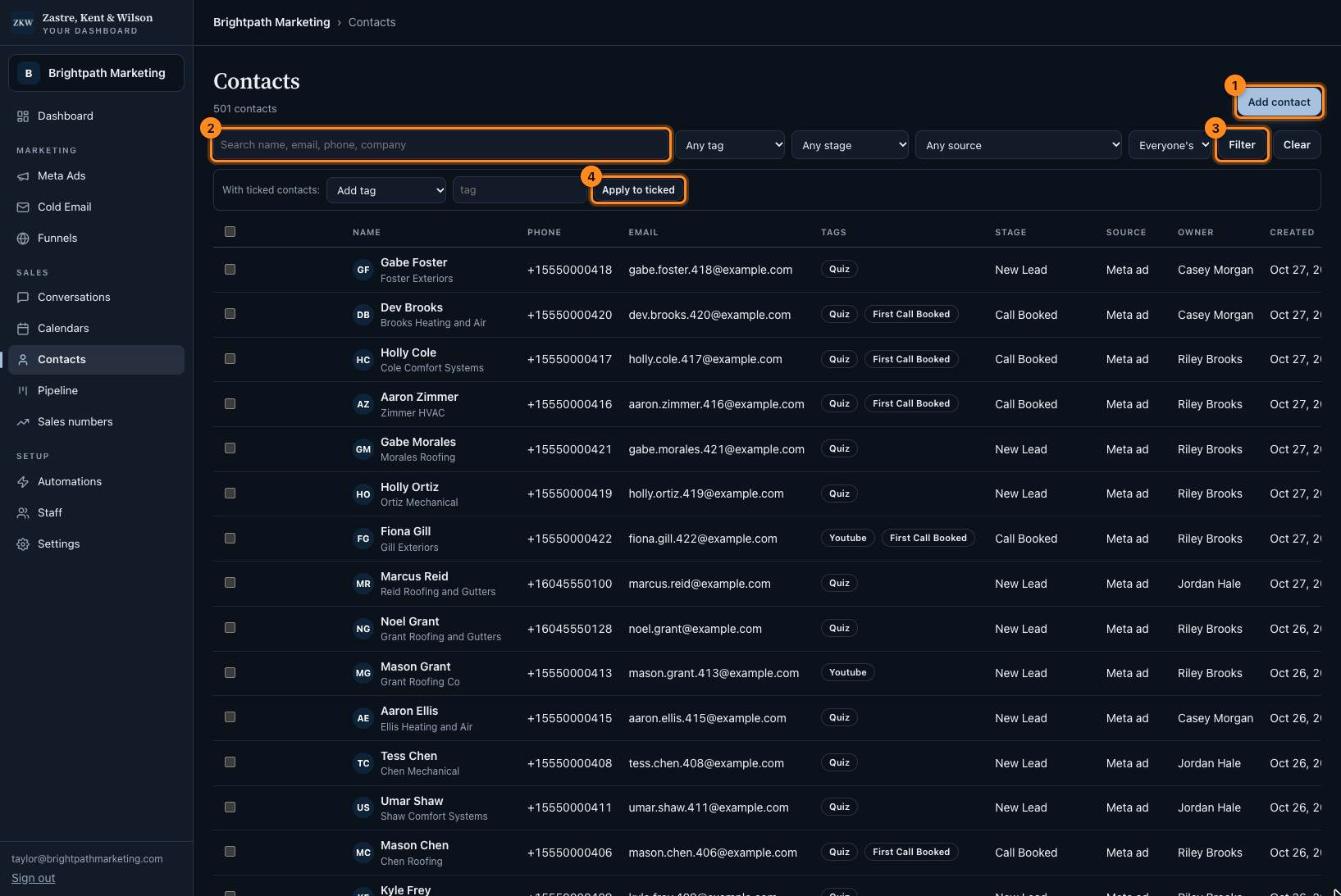
Click the picture to see it bigger. The names and numbers in it are made up. 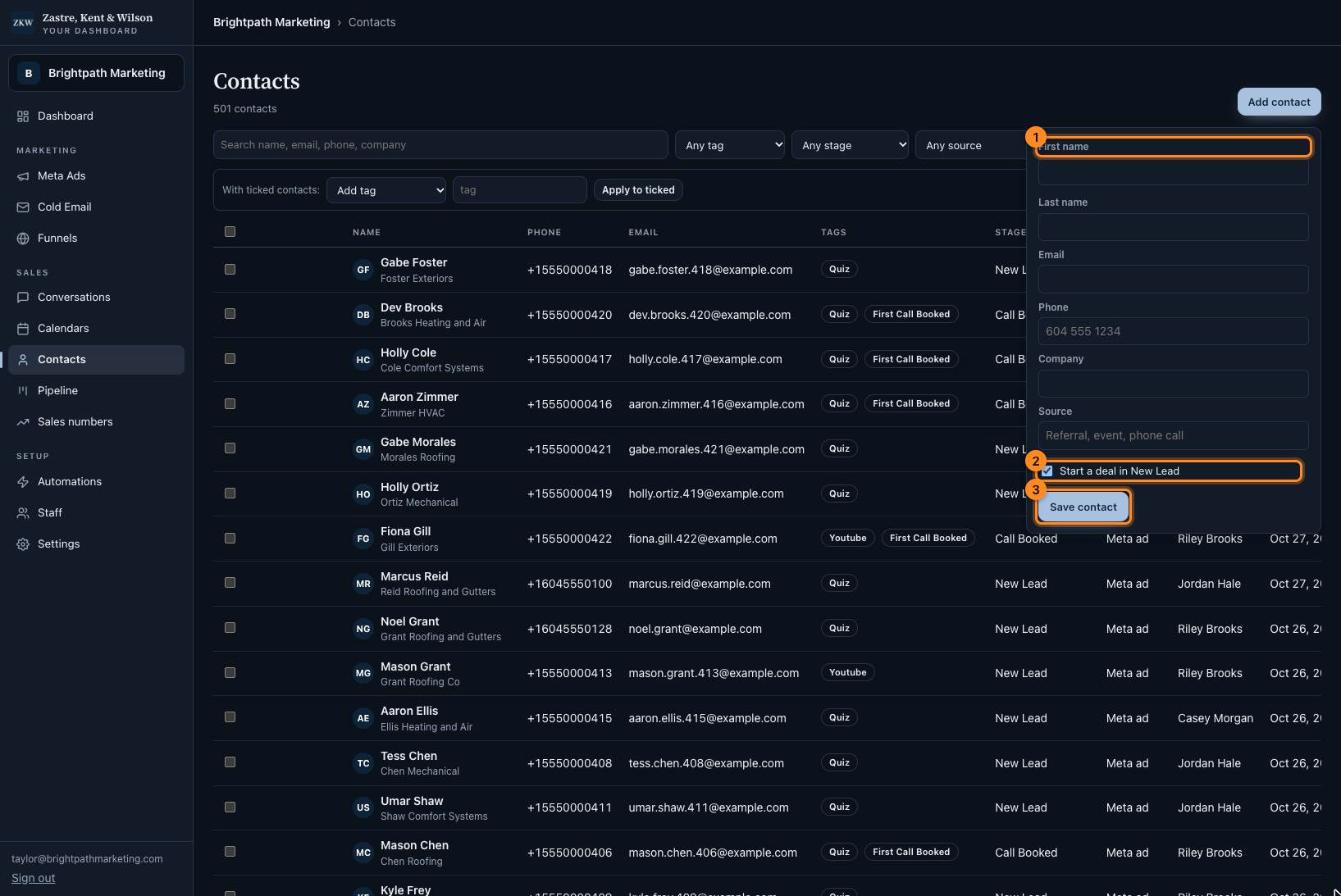
Click the picture to see it bigger. The names and numbers in it are made up. 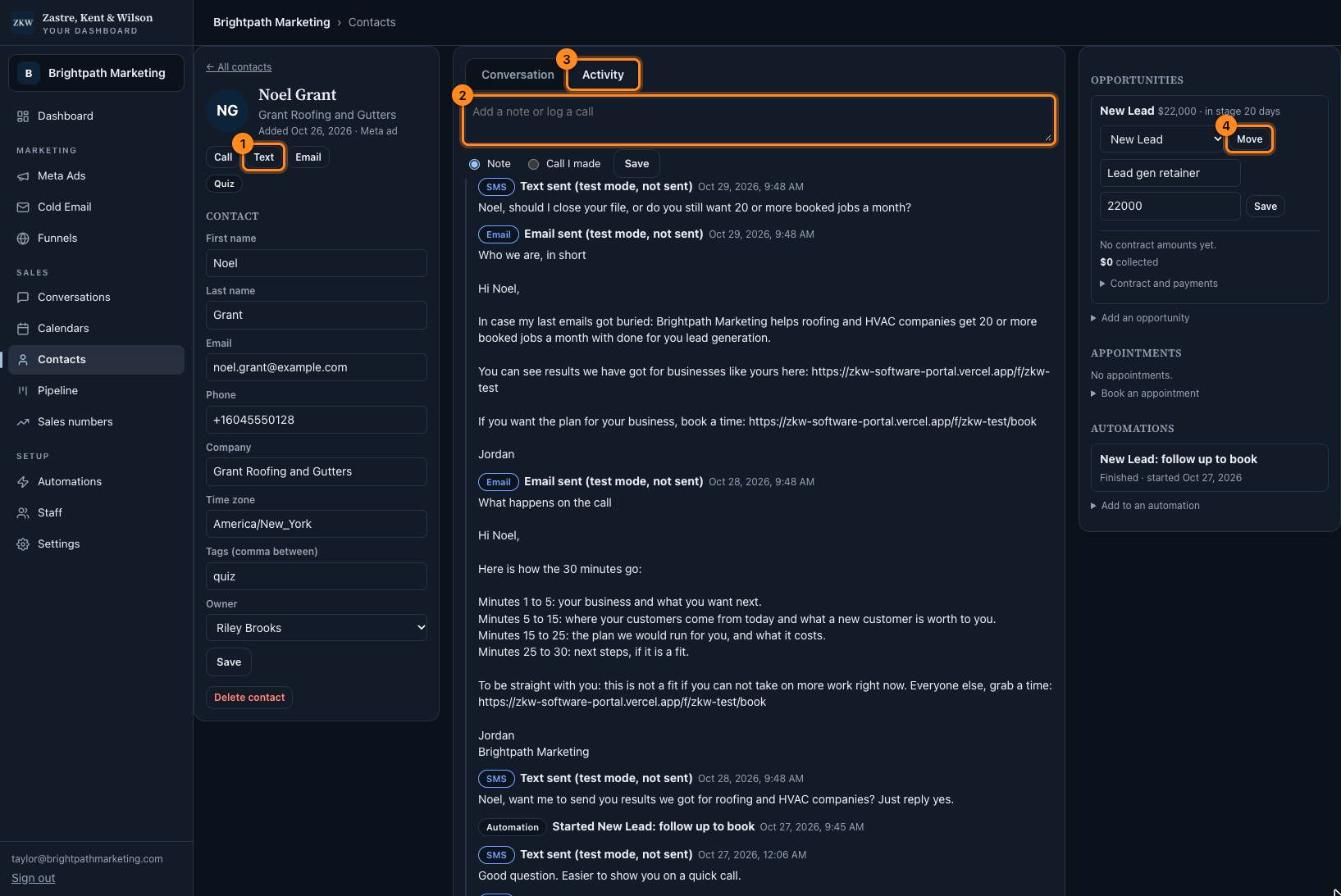
Click the picture to see it bigger. The names and numbers in it are made up.
Contacts
Everyone who ever came in, and everything about each person.
What is this page?
A contact is a person. Every lead from your ads, emails and funnels lands here by itself.
Find someone
- Add contact. Add a person by hand.
- Type a name, email, phone or company to search.
- Press Filter to search. Press Clear to start over.
- Tick the boxes next to people, pick what to do (like Add tag), then press Apply to ticked.
Tip: Click a person's name to open their page.
Add a person by hand
- Fill in their name, email, phone and company.
- Leave this ticked to put them in your Pipeline as a New Lead.
- Press Save contact.
One person's page
The left side has their details. Change anything and press Save.
The right side has their deal, their booked calls, and any automations they are in.
- Call, Text or Email this person.
- Write a note, or log a call you made, then press Save.
- Activity shows everything that happened with this person. Conversation shows your texts and emails.
- Move their deal to a new stage: pick the stage, then press Move.