 Zastre, Kent & Wilson
← All help pages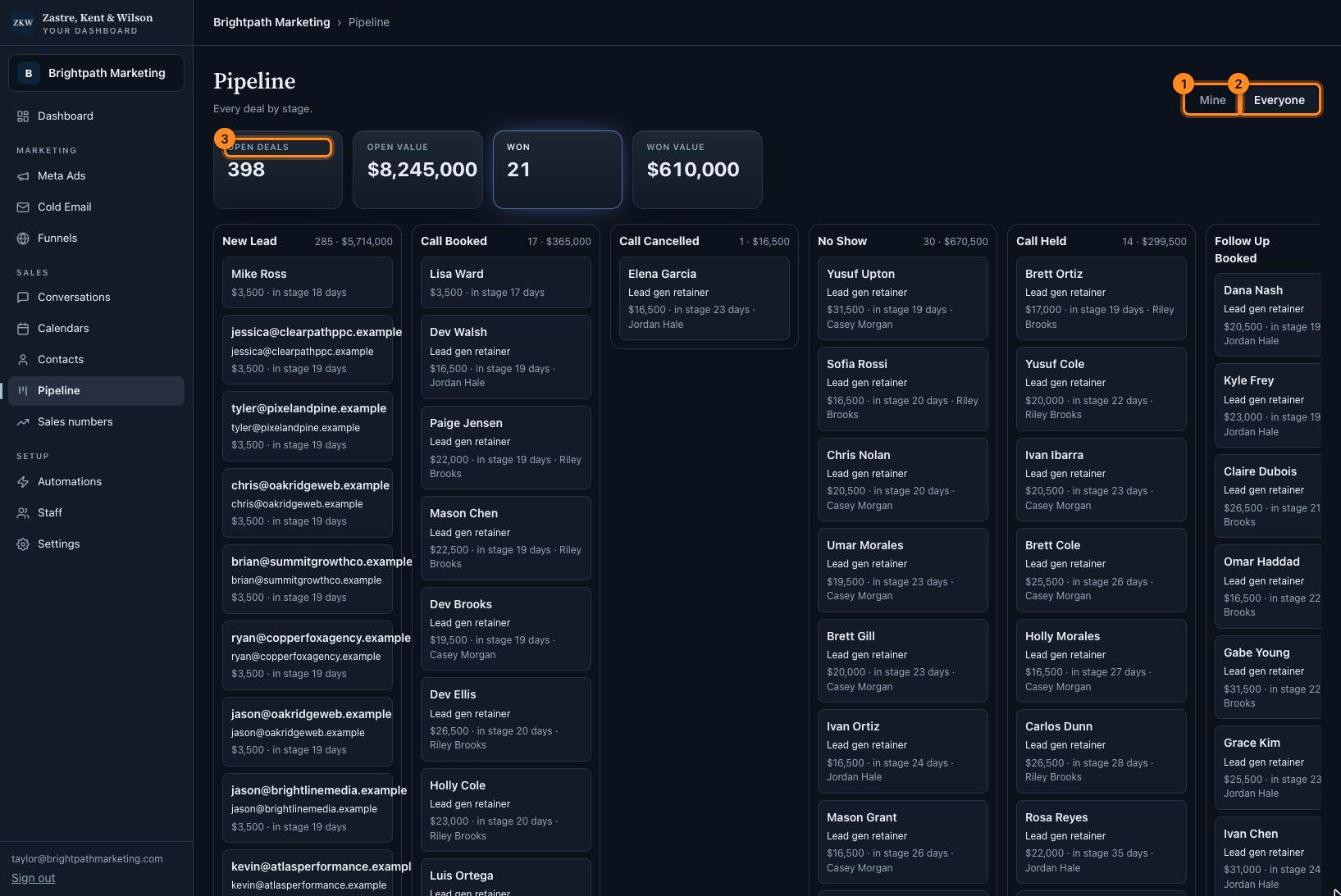
Click the picture to see it bigger. The names and numbers in it are made up.
Pipeline
Every deal on one board, from new lead to won.
What is this page?
A deal is a chance to make a sale. Each card is one deal.
Each column is a stage, like New Lead, Call Booked, Call Held and Won. Deals move from left to right as they get closer to a sale.
Using the board
- Mine shows only your deals.
- Everyone shows the whole team's deals.
- Your totals: open deals, their value, and what you won.
- Find the deal card.
- Hold it down with your mouse and drag it to the new column.
- Let go. It saves by itself.
Tip: On a phone, dragging can be hard. Open the person instead (click their name) and use "Move" on their page.