Your home page: what to do next and how the last 30 days went.
What is this page?
It is the first page you see. It shows what you still need to set up, your most important numbers, and anything that needs you today.
The top of the page
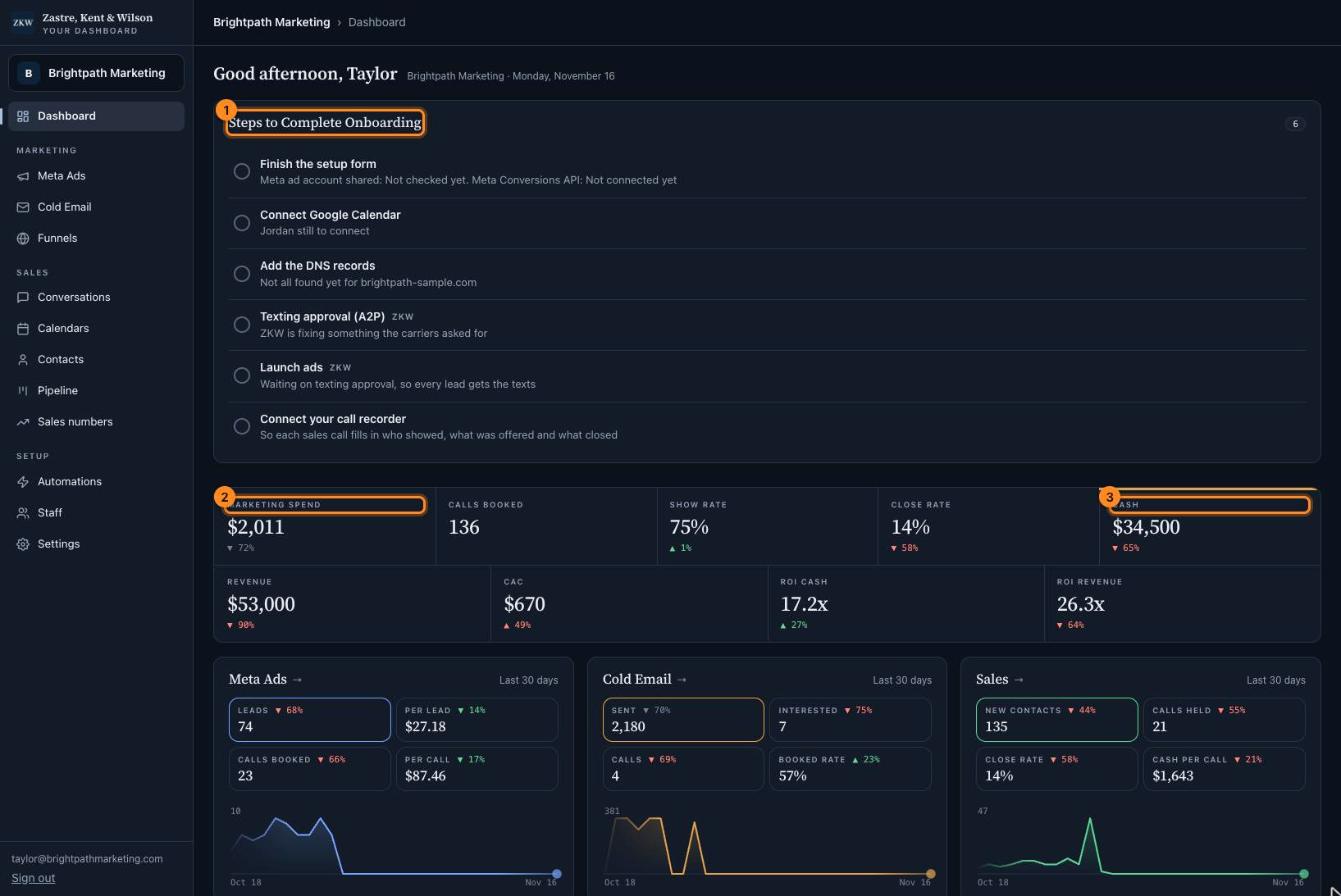
Each box shows a number for the last 30 days.
The small arrow under it compares it to the 30 days before. A green arrow is good. A red arrow means it went the wrong way.
Steps marked "ZKW" are ones we do for you. You just watch them get done.
1Steps to Complete Onboarding. Your setup to do list. Click a step to do it. When every step is done, this box goes away.
2Marketing spend. How much money went into ads in the last 30 days.
3Cash. The money you collected from sales in the last 30 days. This is the most important box.
Click the picture to see it bigger. The names and numbers in it are made up.
The bottom of the page
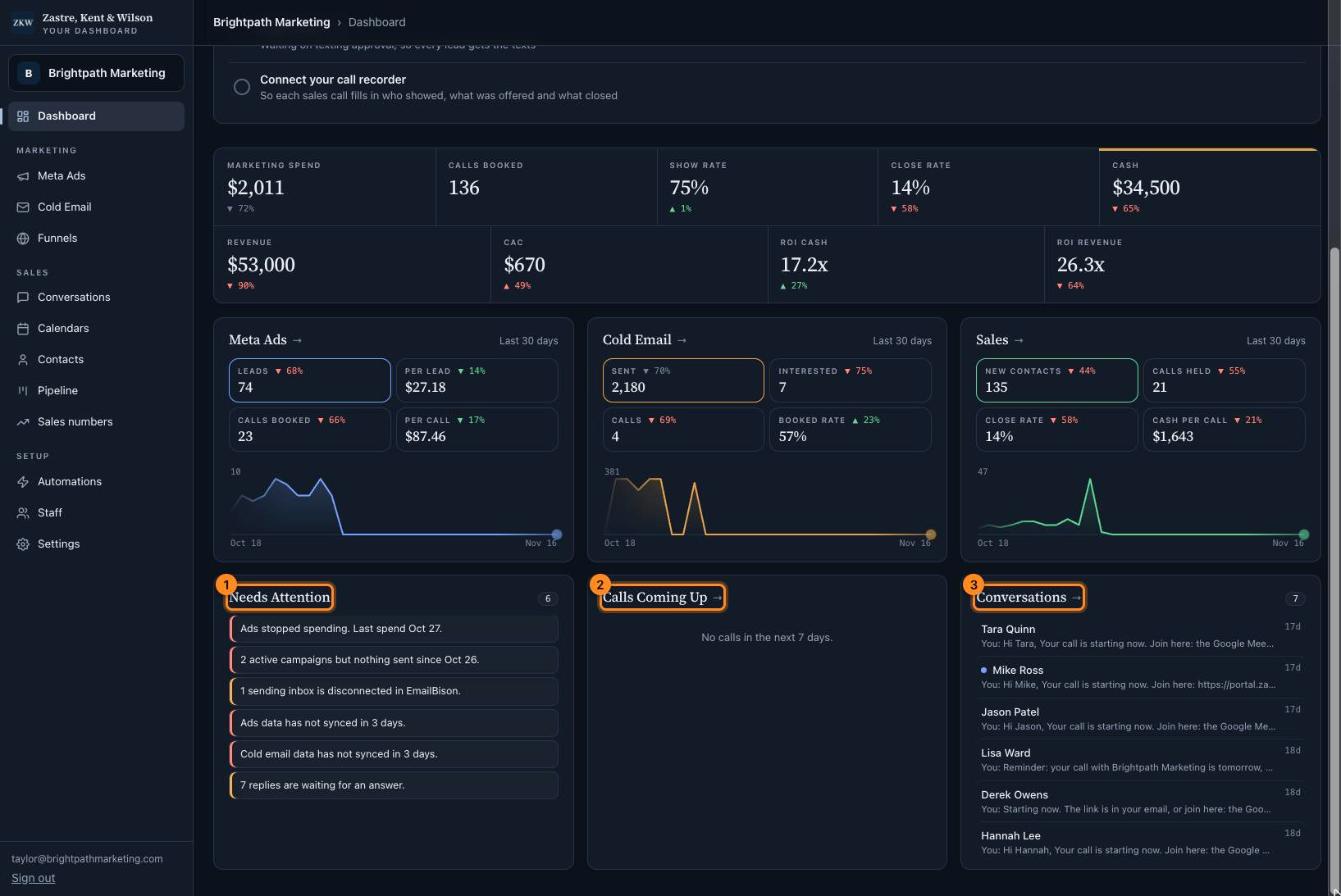
The three charts (Meta Ads, Cold Email, Sales) show each day. Click a small box above a chart to switch what it shows. Click the chart title to open that page.
1Needs attention. Things that need you, like replies waiting for an answer or calls that need an outcome. If it says "Nothing needs you right now", you are all caught up.
2Calls coming up. Your sales calls for the next 7 days.
3Conversations. The newest texts and emails. Click one to open it.
Click the picture to see it bigger. The names and numbers in it are made up.
 Zastre, Kent & Wilson